Drag and drop
Place your booths on the floor plan by dragging them. Resize them as you wish.
Drag & dropResizingDuplication

A simple editor to draw your floor plan, place your booths, and share the result with your exhibitors.
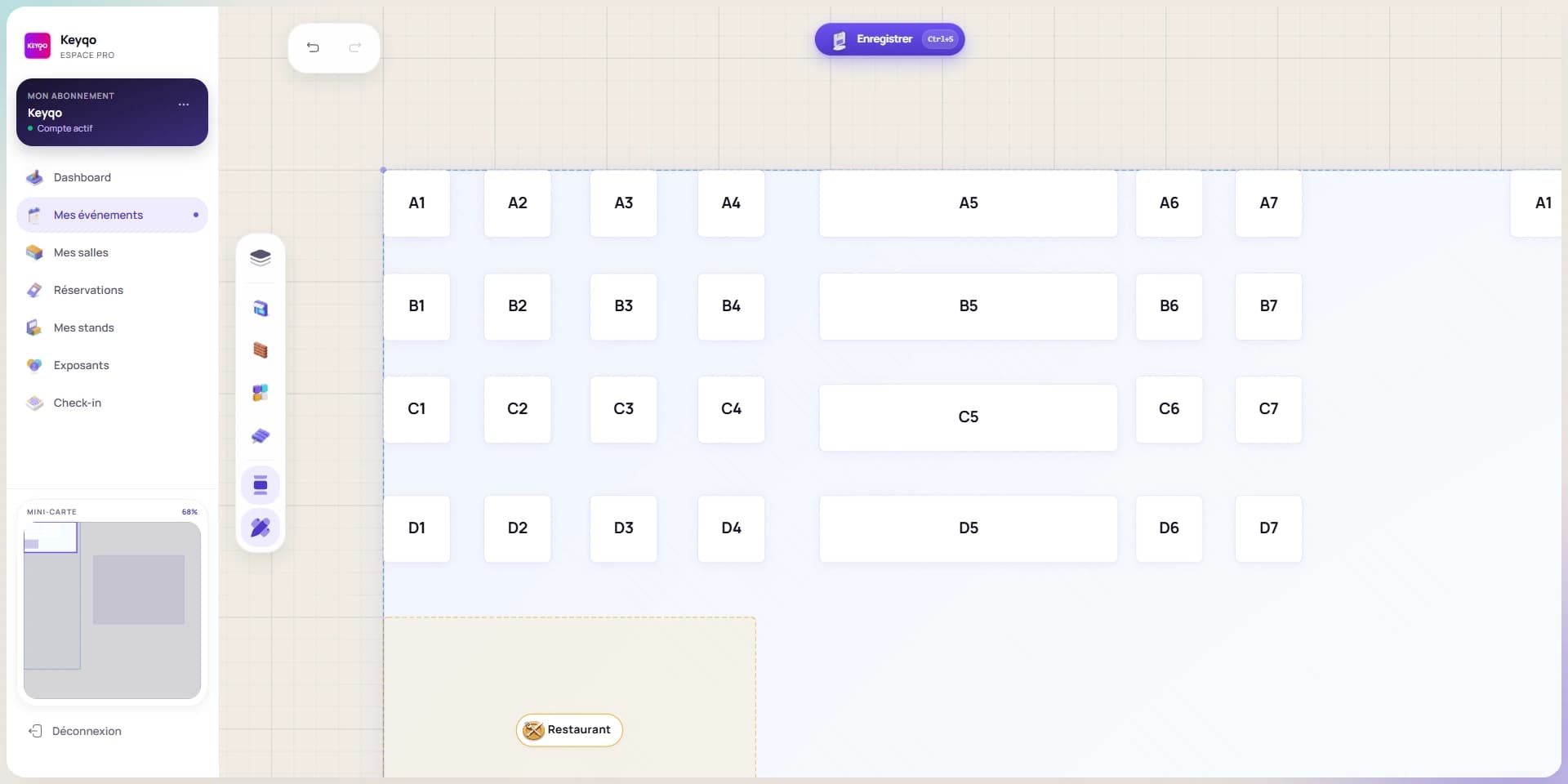
The essential tools to create and manage your floor plan.
Place your booths on the floor plan by dragging them. Resize them as you wish.
Define zones (entrance, catering, conferences) and draw circulation aisles.
Assign colors to booths based on their status: available, reserved, sold.
Download your floor plan as an image to email or print.
Your exhibitors view the plan and their location from any device: PC, tablet or mobile.
Changes are visible immediately to everyone viewing the floor plan.
Enter your space dimensions, import an existing floor plan, or choose from our templates. The editor automatically adapts to your configuration.
Drag and drop booths, zones, and equipment. Resize, rotate, duplicate with one click. Automatic alignment ensures a perfect result.
Your floor plan is instantly accessible online. Share the link with your exhibitors, embed it on your website, export it for printing.
An interactive floor plan replaces the Excel files, static PDFs and paper plans that most organizers still use. Instead of emailing a frozen document, you create an online plan that your exhibitors view in real time.
Keyqo's drag & drop editor lets you place booths on a grid, define zones (entrance, food court, conference rooms) and draw aisles. Each booth can have its own dimensions, category and price.
Exhibitors see their spot on the floor plan from any screen : PC, tablet or mobile. No need to send them a file every time you make a change: the plan updates instantly.
The interactive floor plan is also a sales tool. Potential exhibitors can see available spots, compare sizes and book directly online. The organizer saves time and reduces email exchanges.
Discover our pricing and start creating interactive floor plans.