

In short: Keyqo is SaaS software that replaces the spreadsheet to run a trade show. It provides an interactive floor plan, online booth booking by exhibitors and centralized record tracking, from 15 euros per month, with no commitment and no commission. Google Sheets stays useful for editing a sheet together in real time, for free, but it has no availability logic and no floor plan linked to the booths. Keyqo does not handle visitor ticketing or the program.
Keyqo, focused on exhibitors and the floor plan
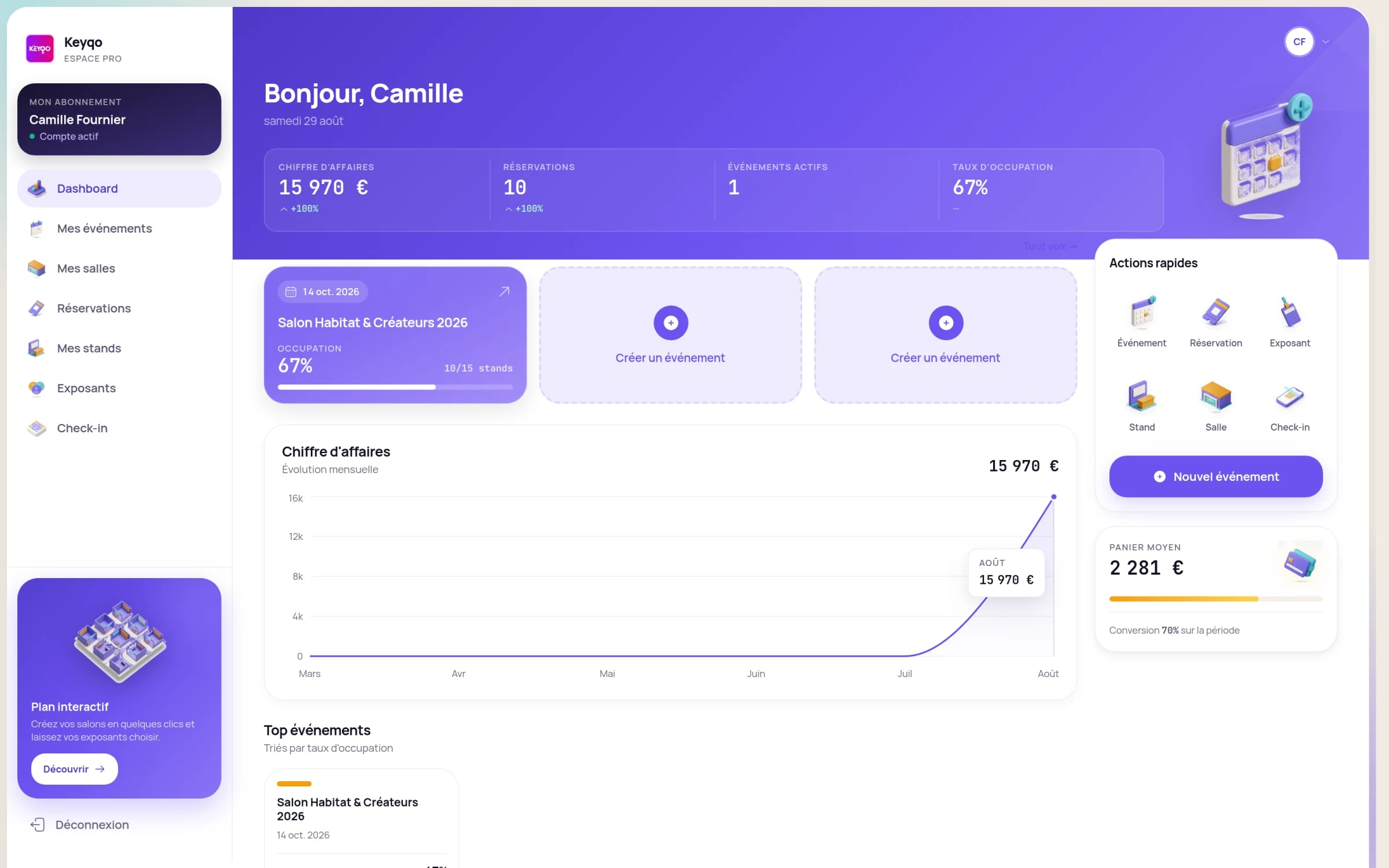
Keyqo is SaaS software for managing trade shows, fairs and exhibitions, built for organizers: event setup, interactive floor plan, online booth booking by exhibitors on a dedicated site, and centralized tracking of reservations, records and documents. The organizer subscription starts at 15 euros per month, with no commitment and no commission on your booth sales. Data is hosted in France, on OVH infrastructure, and processed in line with the GDPR. Keyqo focuses on this core of the organizer’s job: it does not handle visitor ticketing or program management, and exhibitor payment collection stays handled by you, off the platform, via a purchase order.
Three reasons to leave the shared spreadsheet
A plan that stays up to date
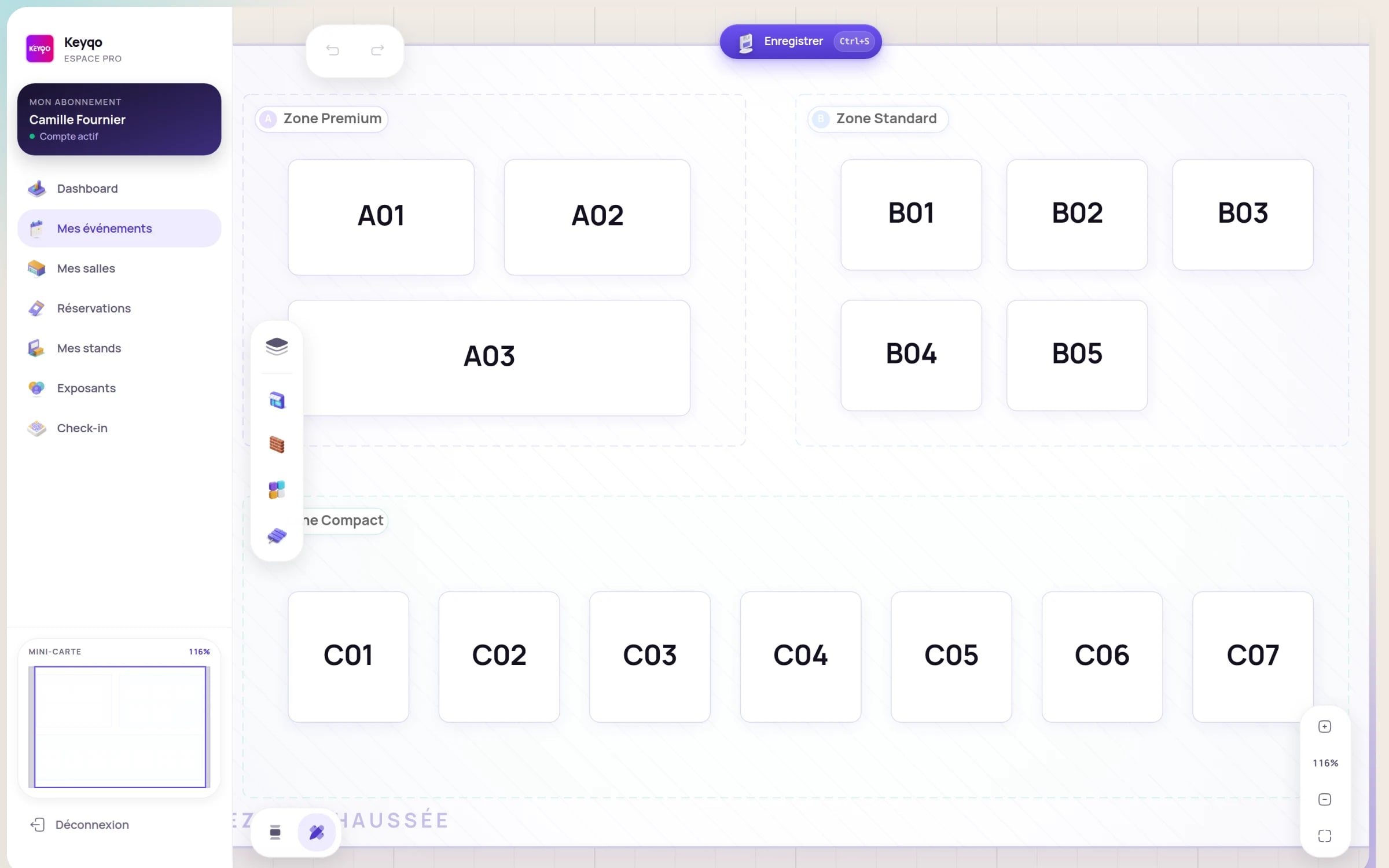
The interactive floor plan editor updates on its own, where a spreadsheet only shows rows, with no spatial plan.
Exhibitors book on their own
On a dedicated site, each exhibitor picks and books their booth, gets their QR code and follows their file; a shared sheet gives at best raw write access.
Zero double booking
A booked booth becomes unavailable for everyone in real time: where a cell locks nothing, the booth status applies to the whole team.
Keyqo, the Google Sheets alternative to organize a trade show
Many organizers start their trade show on a shared Google Sheets, valued for its free, real-time online sharing across a team. Then they look for an alternative as soon as booth management takes over. Keyqo is that alternative: the floor plan, booth booking and exhibitor tracking in a single tool, built for trade show organizers, from a small association event to a regional show.

- An interactive plan linked to booth status
- Online booking on a dedicated exhibitor site
- Records, documents and tracking in one place
Google Sheets and Keyqo, side by side
The table lists the concrete tasks of a trade show organizer. Some rows favor Google Sheets, others Keyqo: the goal is to place each tool, not to disqualify the spreadsheet.
| Criterion | Google Sheets | KeyqoRecommended |
|---|---|---|
| Floor plan | A grid of cells, with no spatial plan linked to the booths | Interactive drag and drop floor plan editor, updated automatically |
| Booth booking | Manual entry in a cell, no booking journey | Online on a dedicated site, the exhibitor picks and books their booth |
| Availability logic | None: a cell does not lock a sold booth | A booked booth becomes unavailable for everyone in real time |
| Risk of double booking | Real even as a team: two people can type the same booth | Ruled out: the booth status applies to the whole team |
| Real-time collaborative editing | Yes, several people edit the same sheet live, for free | Yes, shared and up-to-date data, with the business logic on top |
| Exhibitor self-service and QR code | At best raw write access to the sheet | The exhibitor books on their own, gets their QR code and follows their file |
| Exhibitor records and documents | Scattered across tabs, emails and folders | Records, documents and payment status centralized |
| Pricing per zone | Prices retyped by hand in each row | Prices set once per zone, applied automatically |
| Analytics and fill rate | Pivot tables to build yourself | Built-in analytics (reservations, fill rate by zone, revenue) |
| Setup | Immediate, but everything is left to structure yourself | Plan drawn once, guided onboarding |
| Cost | Free with a Google account | Subscription from 15 euros/month, no commitment, 0% commission |
| Exhibitor payment collection | Manual tracking in the sheet | The organizer collects via a purchase order, off the platform |
Across twelve criteria, Keyqo comes out ahead on nine. Google Sheets keeps two honest strengths: real-time collaborative editing and being free.
Audits of professional spreadsheets find errors in at least 86% of the files examined, according to Raymond Panko’s review (University of Hawaii, 2008). The risk is not specific to trade shows, but it illustrates why manual re-entry eventually produces errors. Panko, Spreadsheet Errors.
The real limit of a shared sheet
Google Sheets has a strength Excel does not: online sharing across a team, in real time and for free. But editing a sheet together is not managing a trade show. A grid of cells, even perfectly shared, still has no business logic.
- No availability logic: a cell does not lock a sold booth, two team members can book the same booth the same afternoon.
- No spatial floor plan linked to the booths: the sheet shows rows, not an interactive plan that shows live what is free or booked.
- No booking journey for the exhibitor: at best write access, not a space where they pick their booth, get their QR code and follow their file.
- Re-entry time: what the exhibitor sends by email, the organizer retypes into the sheet, and manual entry eventually slips.
The questions organizers ask
Can you manage a trade show’s booths on a shared Google Sheets?
You can list booths in a sheet and share it with the whole team, but a spreadsheet has no availability logic: nothing stops two people from booking the same booth, and the plan is just a separate image, disconnected from the rows. An interactive floor plan links each spot to its status (free or booked), its price and its exhibitor record, and updates on its own for everyone.
Does Google Sheets real-time sharing prevent double booking a booth?
No. Real-time sharing syncs the display, but a cell does not lock a sold booth: two team members can type the same booth in two rows the same afternoon, and the mistake surfaces the day before opening. To rule out double booking, you need a single online plan where a booked booth immediately becomes unavailable for everyone.
How do you centralize exhibitor records and documents?
A software brings each exhibitor’s records, documents and payment status together in one place. On a shared sheet, the information often stays scattered across tabs, the mailbox and a folder of PDFs, and chasing latecomers becomes detective work. On Keyqo, the exhibitor enters their own information when booking their booth, and collection stays handled by the organizer off the platform.
When a Google Sheets is enough
To be fair: as long as free collaborative sharing does the job and there is no plan or booking to manage, a Google Sheets works very well. Three cases where it is enough, before the plan and the reservations become real work:
Google Sheets is enough if
- A guest or contact list to share and complete as a team.
- A forecast budget the team updates together in real time.
- A trade show idea not yet validated, while you test before opening a plan and reservations.
Keyqo makes sense if
- Several people sell booths in parallel
- The plan changes often, or you run several editions
- You want exhibitors to book online, without back and forth
Moving from Google Sheets to Keyqo, step by step
Changing tools does not mean re-entering everything. You draw the plan once, then your exhibitors enter their own information when they book their booth.
Setup takes five steps:
- 1Create and configure your event.
- 2Draw the floor plan once, by drag and drop.
- 3Set prices per zone.
- 4Open online booking on your exhibitor site.
- 5Your exhibitors book their booth and enter their own information.
What’s included, plainly
- Pricing
- From 15 euros per month, with no commitment and 0% commission.
- Data hosting
- In France, on OVH infrastructure.
- Privacy
- GDPR-compliant data processing.
- Commitment
- None. Organizer subscription you can cancel anytime.
- Commission on your sales
- 0%. You keep 100% of your booth revenue.
- Onboarding
- Guided. Draw the floor plan once, then your exhibitors book their booth on their own.

Google Sheets or Keyqo: how to decide
The real criterion is not the number of exhibitors or the quality of the sharing: it is the business logic. Google Sheets lets several people edit the same sheet live, for free, and that is a genuine strength. But editing together is not managing a trade show: a cell does not lock a sold booth, a grid is not a floor plan, and write access is not a booking journey. As soon as you want a plan that stays up to date on its own, exhibitors who book on their own with their QR code and centralized tracking, Keyqo makes your data reliable from 15 euros per month, with no commitment and no commission. The first double booking avoided often covers the subscription.
Go further with exhibitor management, Keyqo’s features, pricing and the FAQ.
To dig deeper, see our guide to moving from a spreadsheet to dedicated software.
Frequently asked questions
Can you manage a trade show on Google Sheets?
Yes, for keeping a first list of exhibitors and sharing it with the team. But Google Sheets stays a spreadsheet: the floor plan is not linked to the booths, booking is done by hand and no logic prevents double booking. The moment to switch is when your exhibitors need to book on their own and the plan keeps changing.
Does Google Sheets prevent double booking a booth?
No. Even on a sheet shared in real time, a cell does not lock a sold booth: two people can book the same booth at the same time. Keyqo rules out that risk: a booked booth becomes unavailable for everyone in real time.
Can you make a floor plan in Google Sheets?
You can color cells to sketch a plan, but it stays a frozen image, disconnected from the data: every booth sold or moved means editing the sheet by hand. Keyqo offers an interactive drag and drop floor plan editor where each spot carries its status, its price and its record, updated automatically.
Is there a Google Sheets template to manage a trade show and its exhibitors?
Yes, free Google Sheets templates for exhibitor tracking or planning are easy to find. They get you through a first list, but stay static sheets: the plan is not linked to the data and double booking stays possible. Keyqo takes what a template does and adds the interactive plan, online booth booking and centralized tracking.
Is Google Sheets free, and how much does Keyqo cost?
Google Sheets is free with a Google account, that is its real strength. Keyqo is subscription software, from 15 euros per month, with no commitment and no commission on your booth sales. The math adds up fast: the first double booking avoided often covers the subscription.
Which alternative to Google Sheets to organize a trade show?
For a trade show, the useful alternative brings together three building blocks a spreadsheet lacks: an interactive floor plan, online booth booking by the exhibitor and centralized record tracking. Keyqo brings these three together in a single tool, built for organizers of trade shows, fairs and conventions.
Does Keyqo handle visitor ticketing?
No. Keyqo focuses on the organizer and their exhibitors: event setup, interactive floor plan, online booth booking, exhibitor tracking. Visitor ticketing and program or conference management are outside its scope.
What is the difference between editing a sheet together and managing a trade show?
Editing a sheet together means changing the same cells at the same time without overwriting each other’s work, and Google Sheets does that very well. Managing a trade show is something else: a floor plan linked to the booths, an availability that applies to the whole team and a journey where the exhibitor books on their own. Collaboration does not replace that business logic.
How do you give the whole team access to a Google Sheets?
You share the sheet from the Share button by adding email addresses or turning on a link, with view or edit rights. It is simple and free, but edit access is not a booking journey: the exhibitor sees the whole sheet and can change any row, where Keyqo opens them a space to book their own booth.
Do you have to re-enter everything when moving from Google Sheets to Keyqo?
No, you do not start from scratch. On Keyqo, setup mainly means configuring the event and drawing the floor plan once. After that, it is your exhibitors who enter their own information when they book their booth online, which spares you the re-entry the shared sheet used to require.
How do you create a trade show planning in Google Sheets?
You usually create one tab per theme (exhibitors, booths, tasks) with one row per item, that the team updates together. It is handy for a simple planning, but a planning is neither a floor plan linked to the booths nor a booking system. Keyqo links the plan, the pricing and the reservations in a single tool, up to date in real time.
What is the best event management software to replace a spreadsheet?
It depends on your need. For a trade show with booths to place and to book, the criteria that matter are the interactive floor plan, online booking by the exhibitor and centralized tracking. Keyqo brings these three together and is simpler to get started with than the big congress suites.
Does Keyqo fully replace Google Sheets?
For managing your trade show, yes: the floor plan, booths, pricing, reservations and exhibitor tracking all live in Keyqo, up to date in real time. Nothing stops you from keeping a Google Sheets for a budget or a shared note, but running the trade show itself lives in Keyqo.