
In short: to MANAGE a trade show, Keyqo’s interactive plan beats a frozen PDF, while the PDF stays ideal to DISPLAY and DISTRIBUTE. Keyqo provides an interactive floor plan linked to reservations, online booth booking by exhibitors and centralized record tracking, from 15 euros per month, with no commitment and no commission. A PDF plan is not the management tool, it is an output: you manage in Keyqo and export a PDF to display it. Keyqo does not handle visitor ticketing or the program.
Keyqo, the floor plan linked to exhibitor reservations
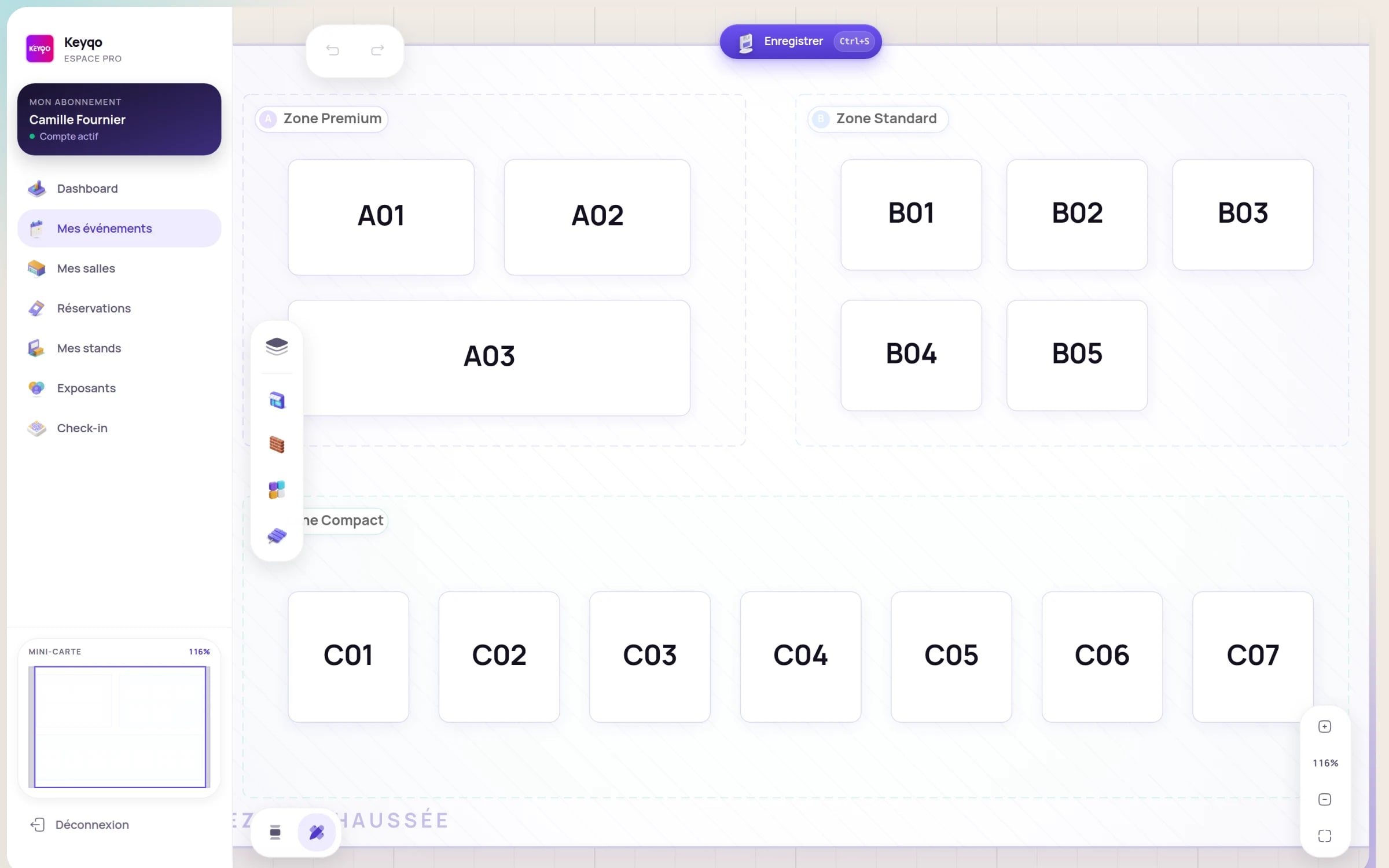
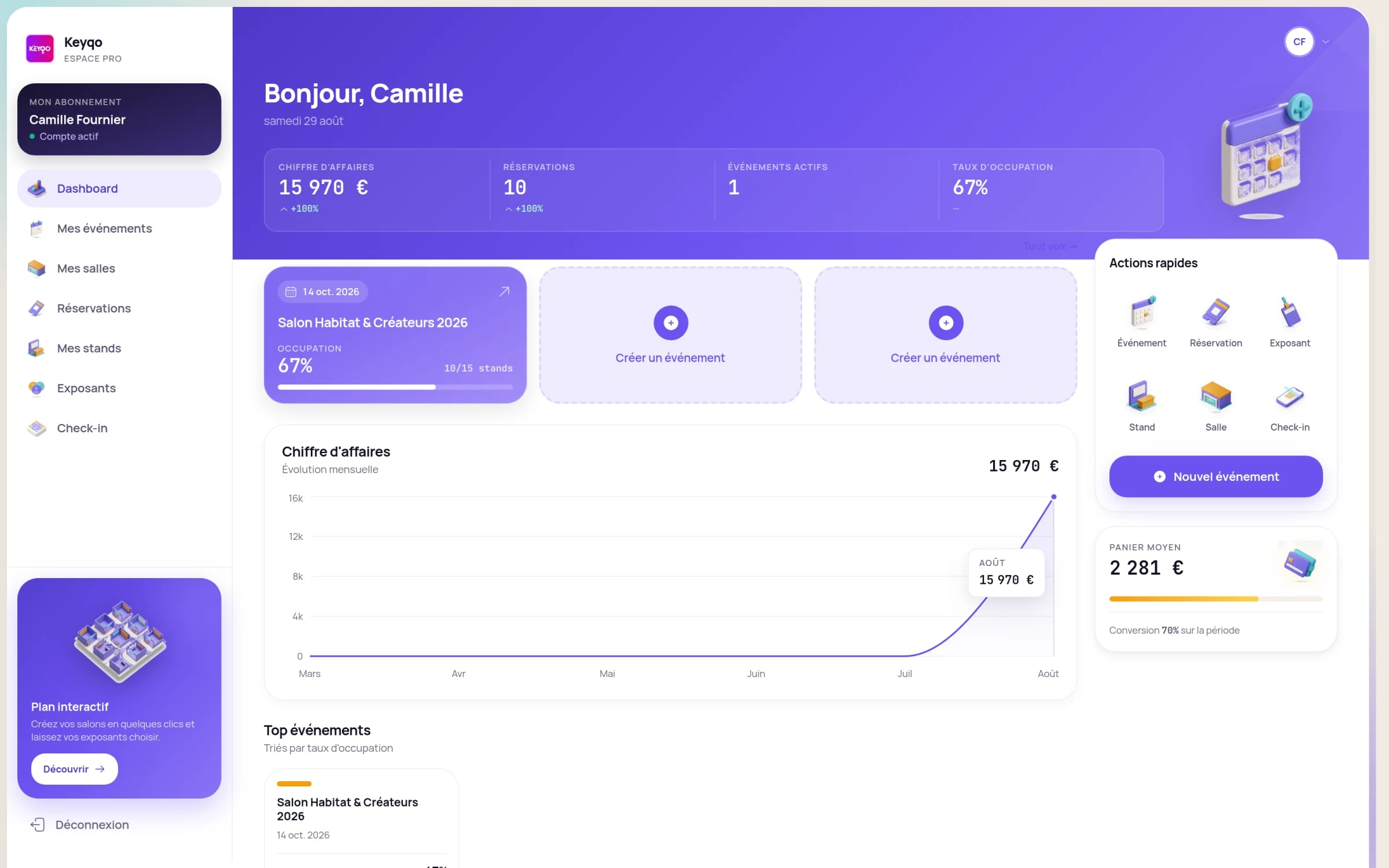
Keyqo is SaaS software for managing trade shows, fairs and exhibitions, built for organizers: event setup, interactive floor plan, online booth booking by exhibitors on a dedicated site, and centralized tracking of reservations, records and documents. Each booth on the plan is linked to its status, its price and its exhibitor record, and a clean PDF exports whenever you need to display or distribute the plan. The organizer subscription starts at 15 euros per month, with no commitment and no commission on your booth sales. Keyqo focuses on this core of the organizer’s job: it does not handle visitor ticketing or program management, and exhibitor payment collection stays handled by you, off the platform, via a purchase order.
Three reasons to move to an interactive plan
A plan that updates itself
The interactive plan updates on every booking, where a PDF plan is re-exported and re-distributed by hand on every change.
Exhibitors book on their own
Each exhibitor picks and books their booth online, gets their QR code and follows their application, instead of a plan to email back and forth.
Zero double booking
A booked booth becomes unavailable for everyone in real time: never two exhibitors on the same spot.
What a PDF plan really does well
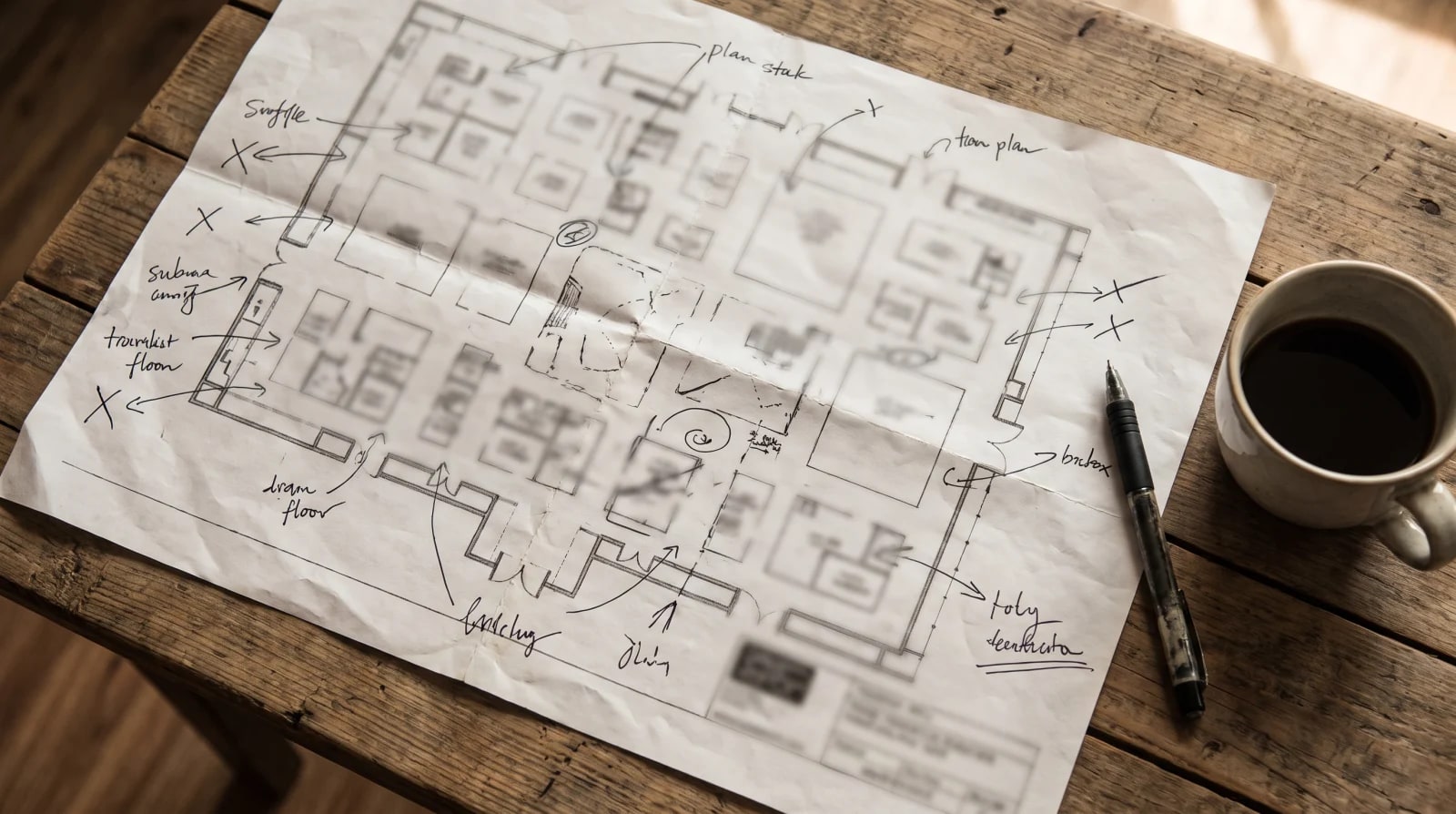
A PDF plan, or a paper one, has a real strength of its own: it displays, prints and hands out effortlessly. Anyone opens a PDF, with no account and no software, even offline. You post it at the show entrance, slip it into an exhibitor pack, print it as signage. Where it shows its limits is for MANAGING: it is frozen the second you export it, disconnected from reservations and redone by hand as soon as a booth moves. The fairest approach is not to pit the two against each other: in Keyqo, you manage the show in the interactive plan, the source of truth linked to reservations, and you export a clean PDF plan when you need to display or share it. The PDF becomes a deliverable, not the working tool.
- An interactive plan linked to booth status
- Online booking on a dedicated exhibitor site
- Records, documents and tracking in one place
PDF plan and Keyqo, side by side
The table lists the concrete tasks of a trade show organizer. Some rows favor the PDF plan, most favor Keyqo: the goal is to place each tool, not to disqualify the PDF.
| Criterion | PDF or paper plan | KeyqoRecommended |
|---|---|---|
| Plan updates | Done by hand: re-export and re-distribute on every change | Automatic: the plan updates on every booking |
| Booth booking | Plan to email, entered manually by the organizer | Online on a dedicated site, the exhibitor picks and books their booth |
| Risk of double booking | Real: the PDF blocks nothing, a booth can be promised twice | Ruled out: a booked booth becomes unavailable in real time |
| Real-time occupancy view | No: frozen at the last file export | Yes: availability and fill rate by zone, live |
| Link between plan and reservations | None: the plan is disconnected from the data | Each booth linked to its status, price and exhibitor record |
| Working as a team | Several versions of the file end up circulating | Centralized space, shared data always up to date |
| Pricing by zone | Noted and recalculated on the side, outside the plan | Prices set once per zone, applied automatically |
| Exhibitor records and documents | Outside the plan, scattered across emails and folders | Each exhibitor’s records, documents and status centralized |
| Fill-rate analytics | None: the PDF measures nothing | Fill rate by zone and revenue tracked in real time |
| Display, printing and distribution | Perfect: universal, offline, no account required | Clean PDF export from the plan, always up to date |
| Cost | Almost free to produce, no subscription | Subscription from 15 euros/month, no commitment, 0% commission |
| Exhibitor payment collection | Tracked separately, outside the plan | The organizer collects via a purchase order, off the platform |
Across twelve criteria, Keyqo comes out ahead on nine. The PDF plan stays unbeatable to display, print and distribute, and keeps its entry cost.
What a PDF plan cannot do
A PDF plan costs almost nothing to produce, but its limit is not its price: it is everything it cannot do once exported.
- Link each booth to its status, free or booked, to its price and its exhibitor record.
- Show the fill rate by zone live, instead of a snapshot frozen at the last export.
- Let the exhibitor pick and book their booth themselves online.
- Centralize each exhibitor’s records, documents and status in one place.
- Keep several versions of the plan from circulating after every change.
The questions organizers ask
How do you make a trade show floor plan with the booths?
You can draw a plan in PowerPoint, a design tool or have it drafted, then export it to PDF. It then stays static: every booth sold or moved means redoing the file and resending it. An interactive floor plan links each spot to its status, its price and its exhibitor record, and updates on its own. On Keyqo, the organizer draws the plan once by drag and drop, then exhibitors book their booth directly on it.
How do you prevent two exhibitors from booking the same booth?
With a PDF plan sent by email, nothing stops you from promising booth A12 to two exhibitors the same afternoon, and the mistake surfaces the day before opening. A single online plan rules out the risk: as soon as a booth is booked, it becomes unavailable for everyone in real time. That is what Keyqo’s interactive plan does, where each spot carries a status that is up to date to the second.
Can you keep the PDF for display?
Yes, and it is even recommended. The PDF stays perfect to display a plan at the entrance, print it as signage or attach it to an exhibitor pack. The difference is that it becomes an output of Keyqo: you manage the show in the interactive plan, the source of truth linked to reservations, and you export a clean PDF when it is time to display or share it, always up to date.
When a PDF plan is still enough
To be fair: a PDF plan still does the job perfectly in a few cases, once management is done or when there is nothing to manage.
A PDF plan is enough if
- The plan is final and frozen: there is no booth left to move, just a plan to display at the entrance.
- You need to attach a plan to an email or an exhibitor pack: a PDF opens anywhere, with no account.
- The show is already full and no change is expected before opening.
Keyqo makes sense if
- Several people sell booths in parallel
- The plan changes often, or you run several editions
- You want exhibitors to book online, without back and forth
Moving from a PDF plan to Keyqo, step by step
Changing tools does not mean re-entering everything. You draw the plan once, then your exhibitors enter their own information when they book their booth.
Setup takes five steps:
- 1Create and configure your event.
- 2Draw the floor plan once, by drag and drop.
- 3Set prices per zone.
- 4Open online booking on your exhibitor site.
- 5Your exhibitors book their booth and enter their own information.
What’s included, plainly
- Pricing
- From 15 euros per month, with no commitment and 0% commission.
- Data hosting
- In France, on OVH infrastructure.
- Privacy
- GDPR-compliant data processing.
- Commitment
- None. Organizer subscription you can cancel anytime.
- Commission on your sales
- 0%. You keep 100% of your booth revenue.
- Onboarding
- Guided. Draw the floor plan once, then your exhibitors book their booth on their own.

PDF plan or interactive plan: how to decide
The real criterion is not the size of the show, it is whether your plan still has to move. As long as it changes, a PDF makes you re-export, re-distribute and juggle several versions, with the risk of selling the same booth twice. Keyqo’s interactive plan stays in sync with who booked which booth, lets exhibitors book on their own and centralizes all tracking, from 15 euros per month, with no commitment and no commission, on a show of ten booths as much as three hundred. Keep the PDF for what it does best: display and distribute, by exporting it from Keyqo.
Go further with exhibitor management, Keyqo’s features, pricing and the FAQ.
To dig deeper, see our guide to organizing a trade show from A to Z.
Frequently asked questions
How do you make a trade show floor plan with the booths?
Two paths: draw a static plan (design software, PowerPoint, paper plan) that you export to PDF, or use an interactive floor plan. The interactive plan links each booth to its status (free or booked), its price and the record of the exhibitor holding it, and updates on its own. On Keyqo, you draw the plan once by drag and drop, set prices per zone, then open online booking so exhibitors place their booth themselves.
How do you make a trade show plan interactive?
A plan becomes interactive when each booth is no longer a drawing but an object linked to data: free or booked status, price, the record of its exhibitor. Keyqo offers a drag and drop floor plan editor where an exhibitor clicks an available spot and books it online. The plan then reflects reservations in real time, which a PDF cannot do.
Can you export a trade show floor plan to PDF from Keyqo?
Yes. You manage the show in the interactive plan, which stays the source of truth linked to reservations, and you export a clean PDF plan when you need to display it at the entrance, print it as signage or attach it to an exhibitor pack. The PDF becomes a deliverable that is always up to date, not the working tool.
Is a PDF plan enough to manage a trade show?
A PDF plan is made to display and distribute, not to manage. It is frozen once exported, disconnected from reservations and redone by hand on every change, which leaves the risk of selling the same booth twice. To manage a show, you need a plan linked to reservations. The PDF stays useful at the end, as an output of the interactive plan.
How do you prevent two exhibitors from booking the same booth?
You need a single online plan where a booked booth immediately becomes unavailable for everyone. With a PDF plan sent by email, nothing blocks a double promise and the mistake surfaces too late. On Keyqo, each booth carries a status that is up to date in real time: as soon as it is booked, it disappears from the available spots.
How do you update a trade show plan without redoing it by hand?
With a PDF plan, every change means reopening the source file, re-exporting it and re-distributing it. An interactive plan updates on its own: when an exhibitor books or a booth moves, the plan reflects the change immediately. On Keyqo, you draw the plan once, then reservations keep it current.
How do you set booth prices per zone?
Prices are usually set per square meter and per zone, for example premium and standard. On a PDF, those prices live beside the plan, in another file, and are recalculated by hand. On Keyqo, the organizer sets prices per zone once, and they apply automatically to every booked booth.
How do you create a booth layout plan?
A layout plan places booths, aisles and zones in the show space. You can draw it flat and export it to PDF, but it then stays static. With Keyqo, you draw the layout by drag and drop, each booth is linked to its price and its status, then exhibitors book directly on it, and you export a PDF whenever you need to display it.
How much does interactive floor plan software cost?
Prices vary with the size of the show. Keyqo works on a subscription from 15 euros per month, with no commitment and no commission on booth bookings. The math adds up fast: the first double booking avoided often covers the subscription, whereas a PDF plan costs nothing but manages nothing.
Can a paper or PDF plan manage booth reservations?
No. A paper or PDF plan shows a layout, but it does not know the state of the reservations: it cannot tell which booth is free, booked or paid. Managing reservations needs a plan linked to the data, like Keyqo’s interactive plan, where each booth changes status in real time.
Does Keyqo handle visitor ticketing?
No. Keyqo focuses on the organizer and their exhibitors: event setup, interactive floor plan, online booth booking, exhibitor tracking. Visitor ticketing and program or conference management are outside its scope.
Do you need software for a small trade show?
As soon as there are booths to place and to book, a plan linked to reservations pays off fast, even for a small show. For a plan that is already final and frozen, a PDF is enough to display it at the entrance. The switch happens when the plan still has to move and exhibitors book on their own.