To do
The “To do” block lists what awaits your decision, with the number of cases, and each row leads to the list already filtered.

When you open Keyqo, you first see what awaits your decision, the requests to review, the payments to follow up, the documents to check. Then you read this month’s collected payments and each event’s occupancy. The dashboard is included in all three plans, from €15 excl. VAT a month, billed annually.

The “To do” block lists what awaits your decision, with the number of cases, and each row leads to the list already filtered.
Collected, to collect, new bookings, new exhibitors, each compared with the previous month.
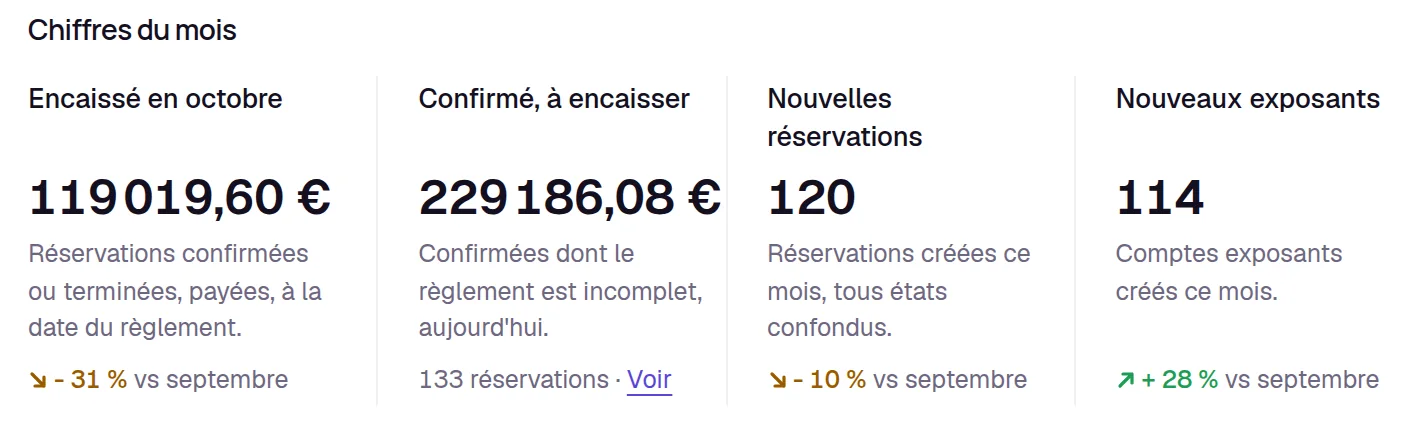
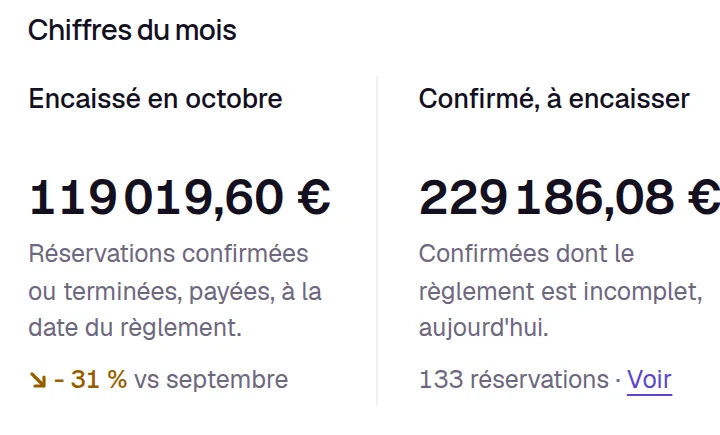
“Collected in October” counts bookings paid in full, and “Confirmed, to collect” what is still owed on your confirmed bookings.
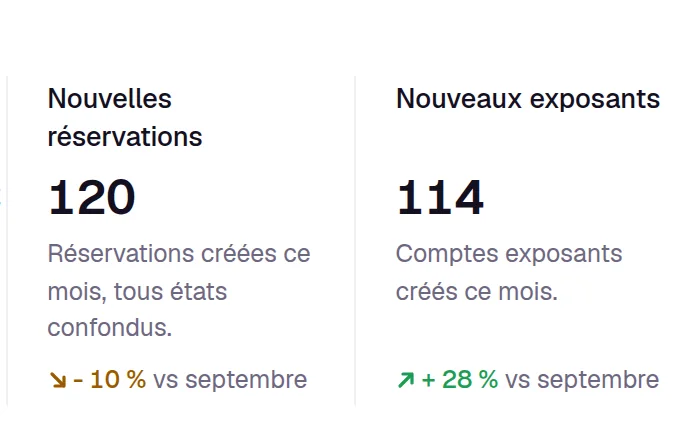
You know what you have collected this month, and what is still to collect.
Two curves, the bookings of the last twelve weeks and the amount collected over the last six months, to see whether registrations are taking off.
For your visible events, one row per event compares booked booths with the booths on the floor plan, for example “9 of 15 booked”.
The next event shows its countdown, its booked booths and its requests to review, then the last five bookings received, with their amount and status.
Exhibitors are waiting for your yes, and you confirm up to 50 requests at once.
See online booth booking.
Confirmed bookings are not fully paid.
An uploaded document is waiting for your review.
See supporting documents.
Exhibitors are waiting for a booth that is already taken.
See the exhibitor waiting list.
New exhibitors are waiting for your approval to see the floor plan and prices.
See exhibitor management.
Exhibitors are waiting for your reply.
Each event’s detail view also has its own “To do” block, limited to that event.
For a single event, its detail view brings the same together, what awaits your decision, its free and taken booths, its bookings, its collected amount and the ordered options. Until the event is ready, it tells you the next step. From this view, you make the event visible and prepare its next edition.
The “booths awaited” and “messages awaiting reply” rows come with Pro and Organizer. Everything else is in all three plans.
See pricingexcl. VAT a month, billed annually
A booking is counted as collected once it is paid in full, for its whole amount, on the date of the last payment. What is still owed appears under “Confirmed, to collect”.
Yes. Open its detail view, and the “Overview” tab brings together what awaits your decision for that event, its booths, its bookings and what it has collected.
You export to Excel or Google Sheets the list of your events, with their booths, bookings and collected amount, and the list of your bookings.
Keyqo is software for events with exhibitors, from trade shows and professional events to Christmas markets. You draw the floor plan of your hall, your exhibitors book their booth and their options online, and you track requests, documents and payments all the way to event day. From €15 excl. VAT a month, billed annually, and your exhibitors pay you directly, with no commission.
Your space is ready within two minutes of payment. If you have a question before subscribing, write to us. We reply within 24 to 48 business hours.