
Exhibitors book their booth online, and you keep the final say
With Keyqo, your exhibitors book their own booth on the floor plan of your exhibitor site. They pick their spot, add their options, accept your event rules and send their request, which you confirm or turn down. Online booking is included in all three plans, from €15 excl. VAT a month, billed annually.
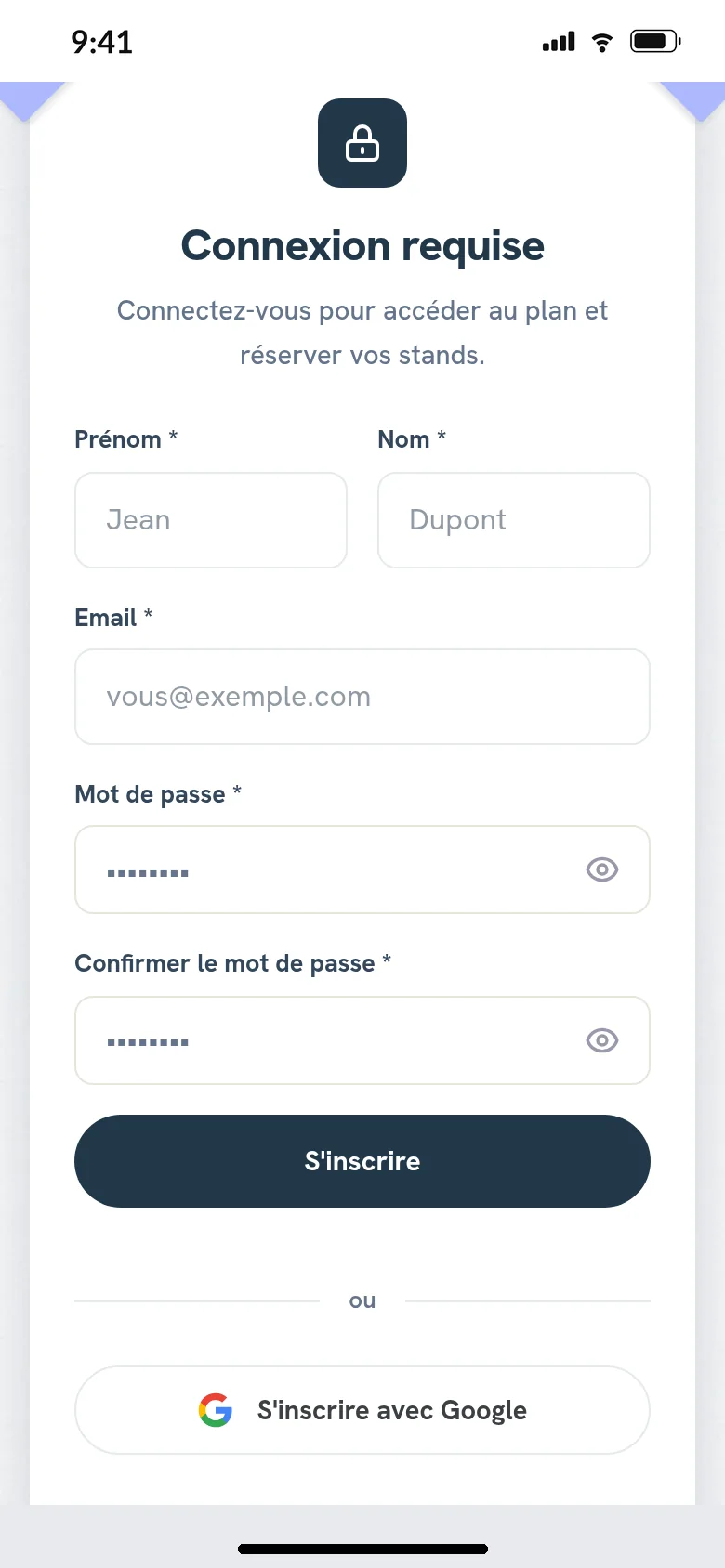
The exhibitor’s journey, on their phone
They create their account with you, with their email address or their Google account.
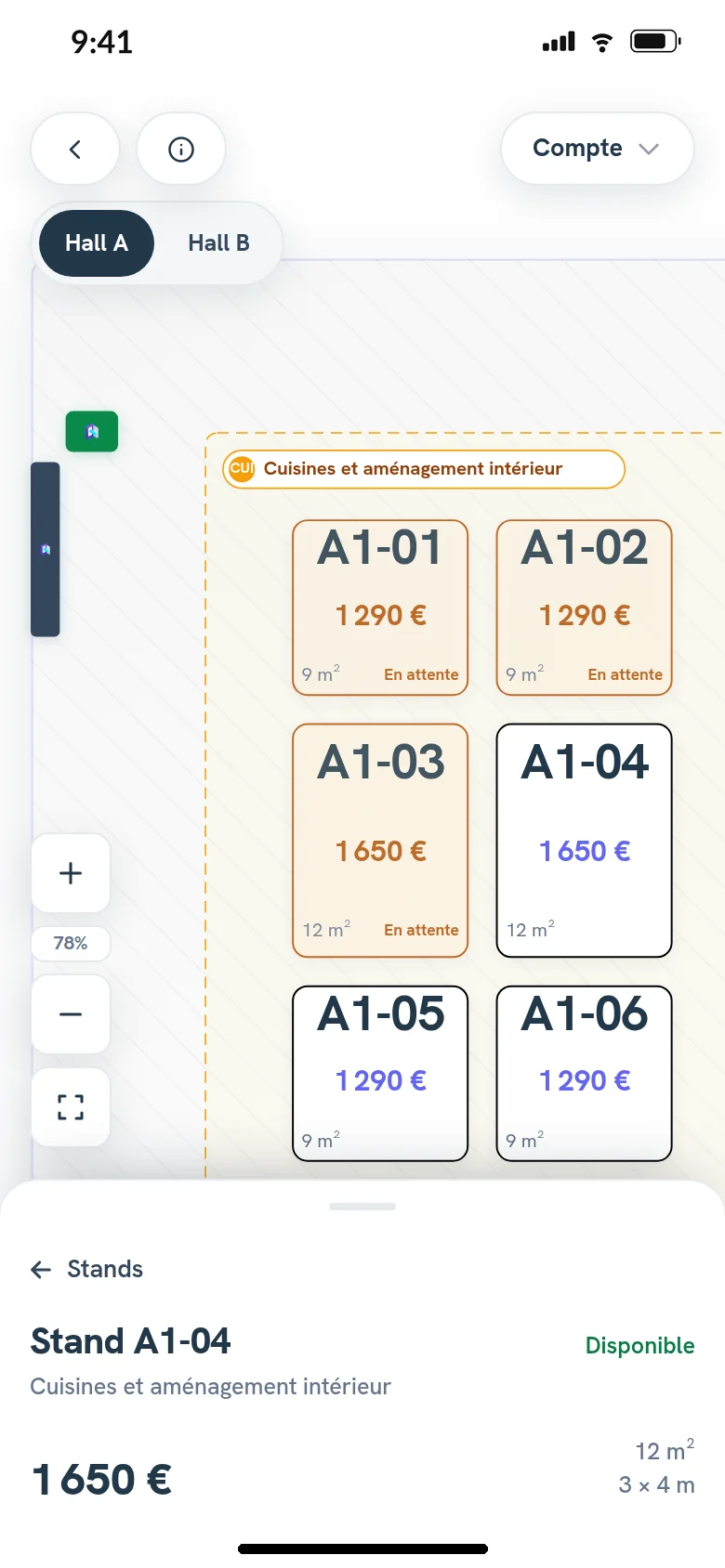
On your floor plan, they open a booth, read its price and what it includes, then add it to their selection.
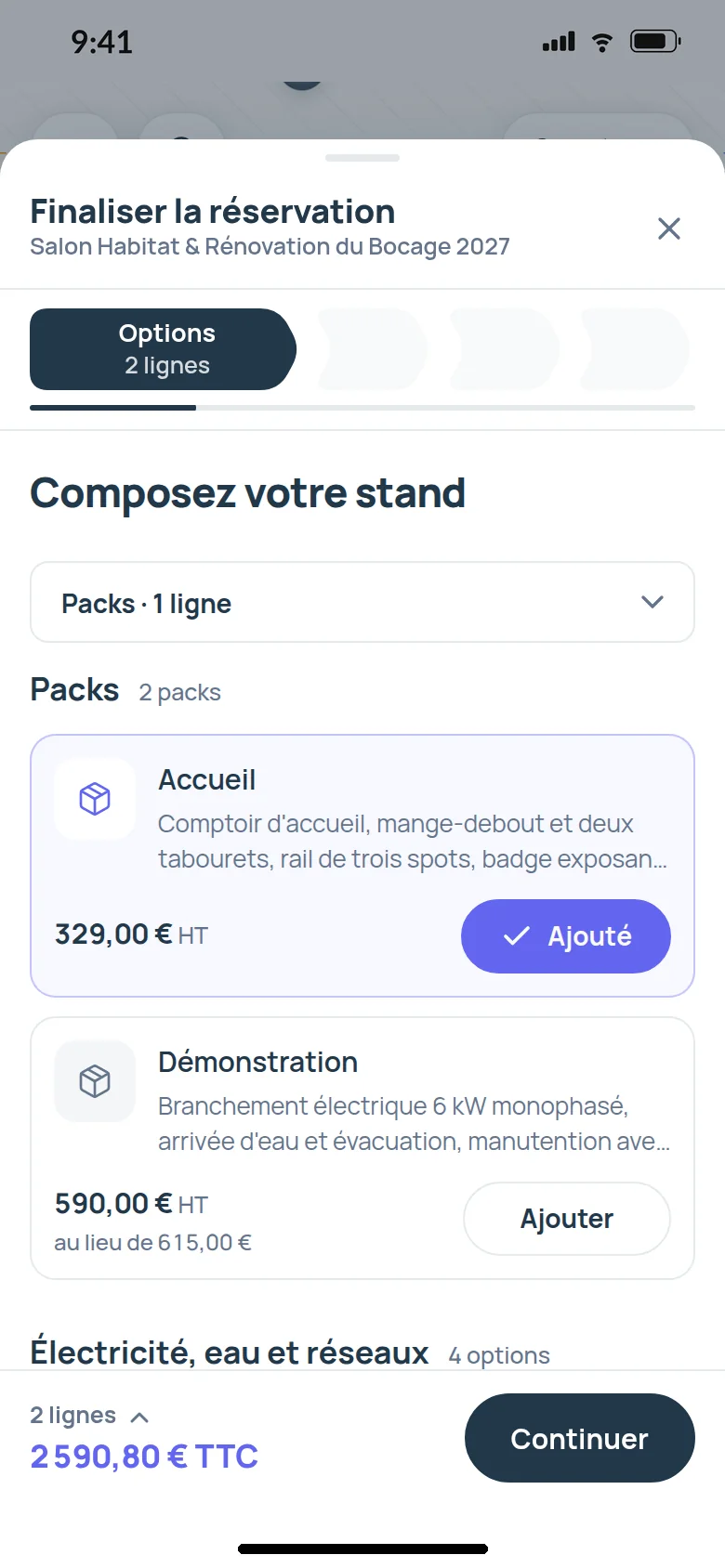
At the “Compose your booth” step, they add your options and packs from the option catalog, and their total follows every choice.
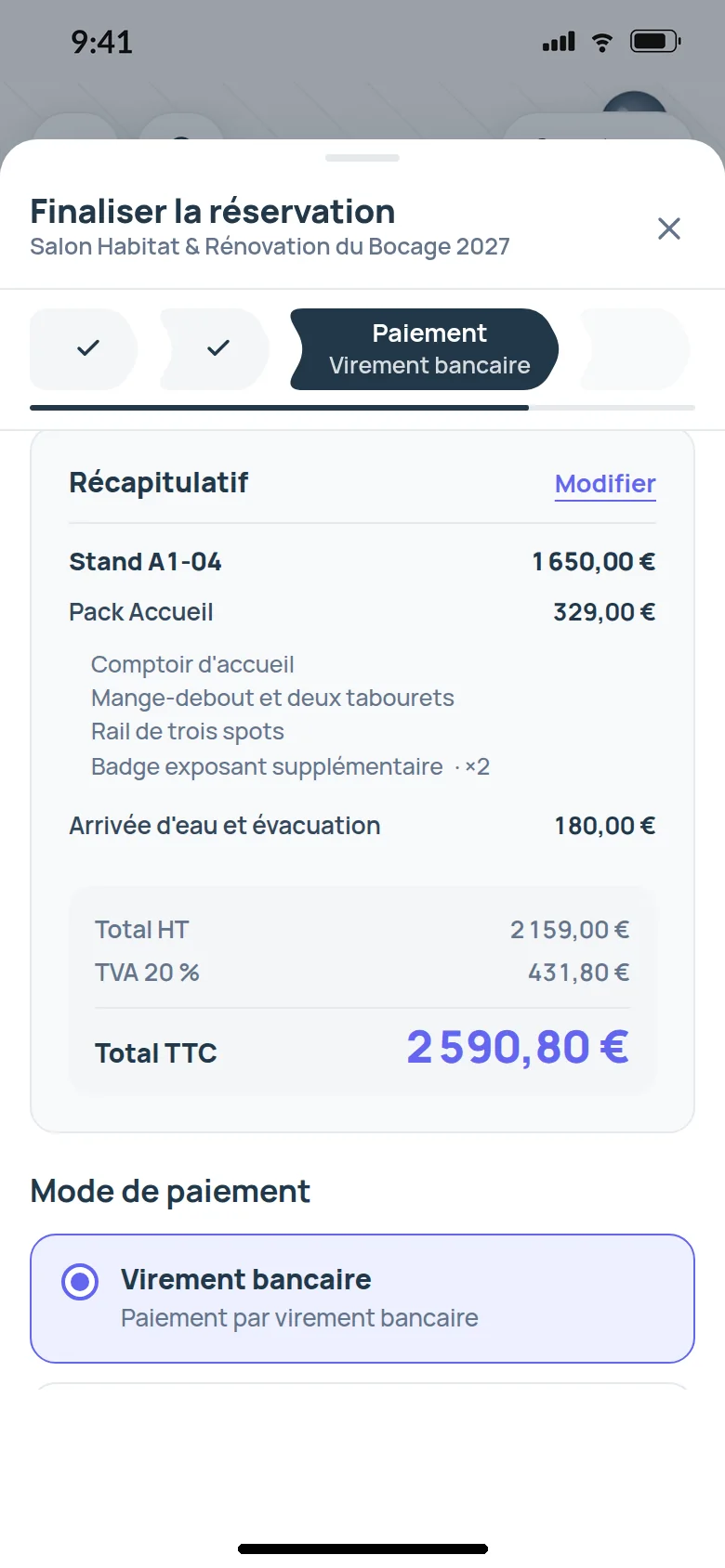
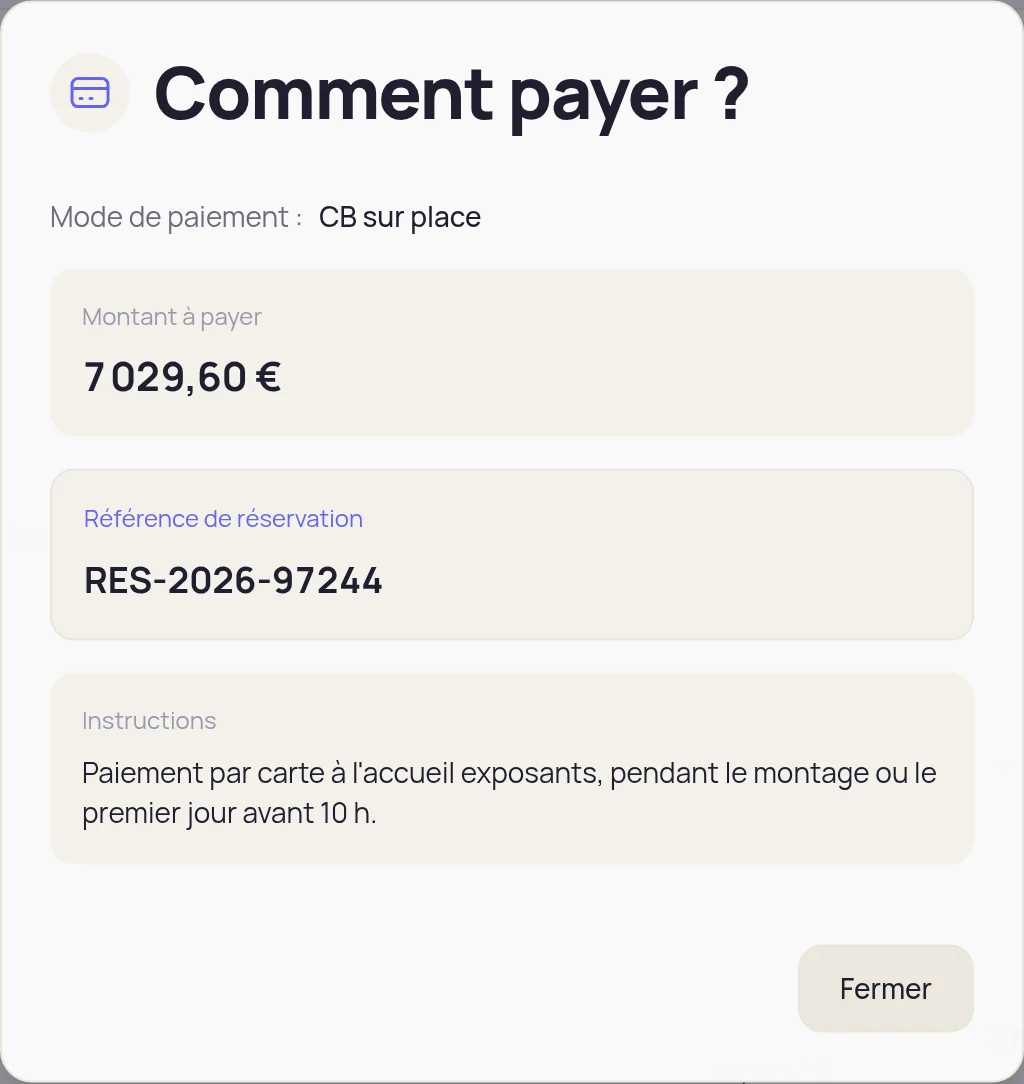
They choose one of your payment methods and read your instructions.
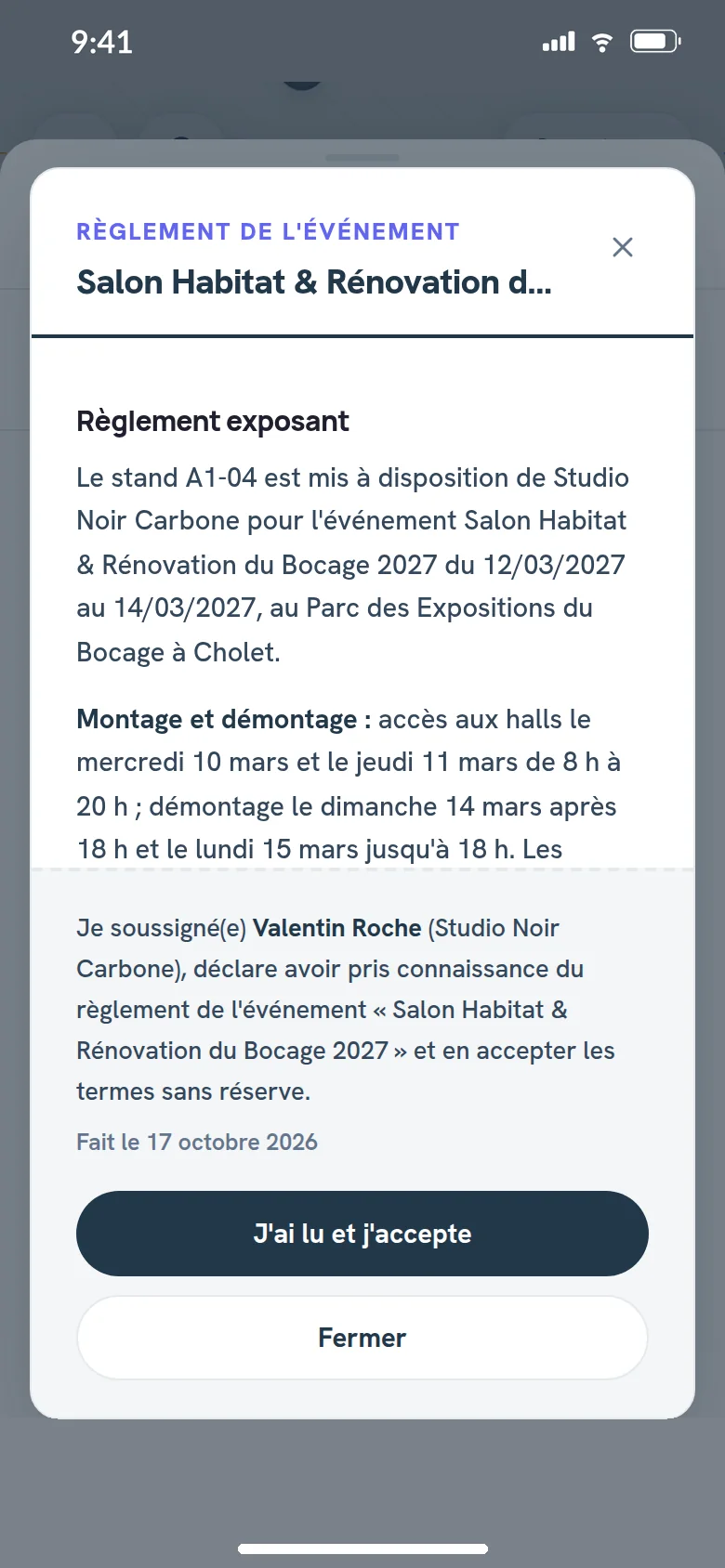
They accept your terms and your event rules, in their name and dated, then send their request. You didn’t type a thing.
You confirm or reject each request
As soon as the request is sent, its booths show as “Pending” on the floor plan, and no one else can take them. The exhibitor can still cancel until you answer.
You click “Confirm request”, and the booths are theirs. Or “Reject”, and they become available again.
When requests come in by the dozen, on opening day, you check them and confirm them at once, and your event dashboard shows what still awaits your decision.

Your rules, set before you open bookings
- You set how many booths one exhibitor can book, one only, a number of your choice, or no limit.
- You choose who sees your floor plan and your prices, every registered exhibitor or only those you approve, in exhibitor management.
- You require supporting documents to book, and the request can’t go out without them.

What the exhibitor receives, and when
| What happens | The email they get |
|---|---|
| They send their request | Their booking form, with your payment instructions |
| You confirm their request | Their confirmation |
| You record their full payment | “Payment confirmed”, sent once |
| You add options to their booking | The supplement order form |
| You upload a document for them | The document’s link, if you choose to |
These emails go out without you. To tell them anything else, you write to them from their detail view, or through messaging with your exhibitors on Pro and Organizer.
Payment is settled between the exhibitor and you
Your exhibitors pay you directly, with no commission, by bank transfer, check, cash, card on site or your own payment link, following the instructions on their booking form. When the money comes in, you click “Mark as paid”, and exhibitor payment tracking shows what is still due.
Questions about online booth booking
Does the exhibitor need an account?
Yes. Their account exists only with you, and their details carry over to their next booking.
What happens if two exhibitors want the same booth?
The first to send their request keeps it, and the booth shows as “Pending”. If you reject that request, the booth becomes available again, or stays held for the exhibitor waiting list on Pro and Organizer.
Can I book on an exhibitor’s behalf?
Yes, on Pro and Organizer. You register the exhibitor yourself, and their booking is recorded as already confirmed, marked as paid if needed.
What happens when I reject a request?
Its booths become available again right away, and you let the exhibitor know from their detail view.
Included in the plans
Online booking is included in all three plans. The waiting list and registering an exhibitor yourself require Pro or Organizer. The three plans are compared on the pricing page.
What is Keyqo?
Keyqo is software for events with exhibitors, from trade shows and professional events to Christmas markets. You draw the floor plan of your hall, your exhibitors book their booth and their options online, and you track requests, documents and payments all the way to event day. From €15 excl. VAT a month, billed annually, and your exhibitors pay you directly, with no commission.
Open bookings for your next event
If you have a question before you subscribe, write to us, we reply within 24 to 48 business hours.