
Collect insurance certificates and other documents from your exhibitors, then approve or reject each one
With Keyqo, you list for each event the documents your exhibitors must provide, such as their liability insurance certificate or their company registration extract. They upload them on your exhibitor site, you approve them or reject them with a reason they receive by email, and you no longer dig through your inbox for a certificate. Supporting documents are included in all three plans, from €15 excl. VAT a month, billed annually.
Six documents already written, to get started
You keep the ones you need, change an instruction, or copy another event’s list, and you add your own. The starter list follows French requirements, such as the Kbis extract and the URSSAF certificate, so rename or replace what doesn’t apply to your event.
The starter list
- Public liability insurance certificateValid on the dates of the event.
- Company registration extract (Kbis or SIRENE notice)Less than three months old.
- URSSAF certificate of complianceLess than six months old.
- Identity document of the booth managerBoth sides, legible.
- Licence or approval related to your activityIf your activity requires one (alcohol licence, food handling, etc.).
- Booth visualA picture or layout of your set-up, for each booked booth.
Each document, required, optional or required to book
Each document is required or optional, one per booking or one per booth. If you set it to “During booking, required to complete”, the exhibitor can’t send their request without it, and you no longer chase an insurance certificate afterwards.
You set an upload deadline, or copy the date setup starts. After that date, you either keep accepting uploads, flagged as late, or refuse them.

Approved, to review or rejected
Your event dashboard shows the documents awaiting your review. You open the document, click “Approve”, or “Reject” with a one-sentence reason. The exhibitor receives your reason by email, and the document goes back to “to provide”, without you writing the email.
An approved document no longer changes.
In the exhibitor’s area
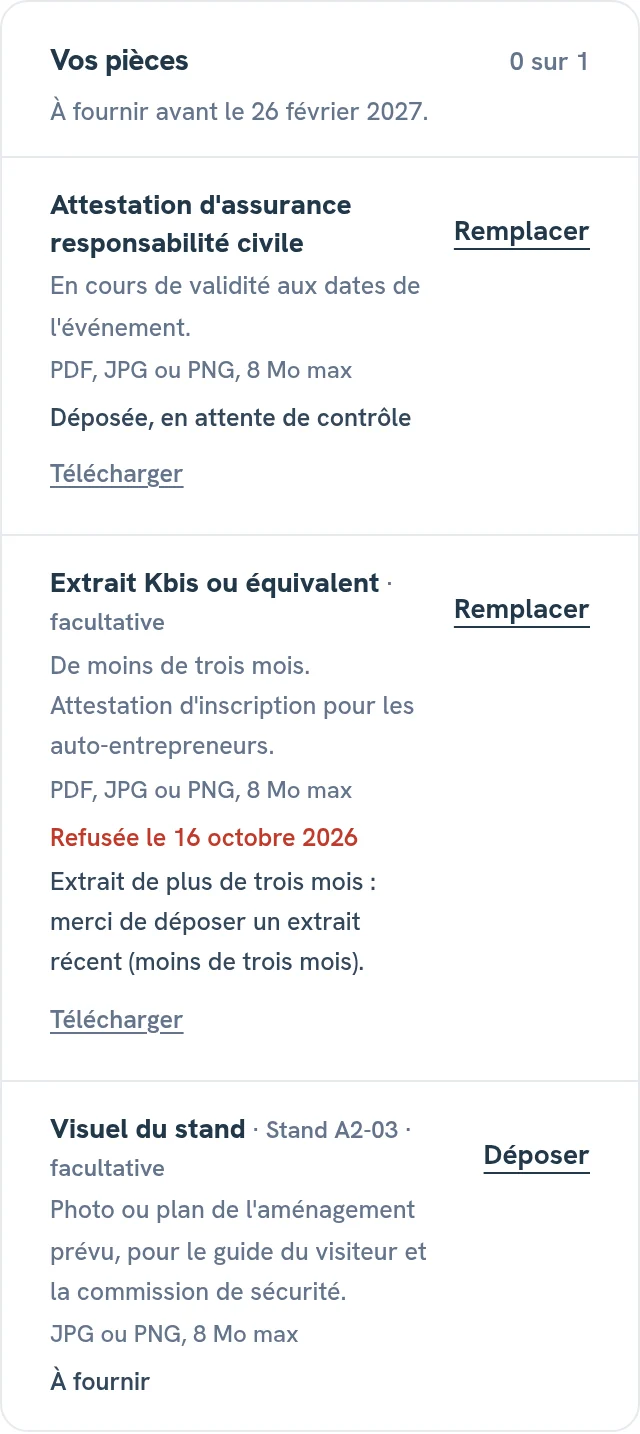
In your booking’s detail view

Incomplete files, in a single list
The day before setup, you see in one list who hasn’t uploaded their insurance yet. You write to the exhibitor from their detail view, or through messaging with your exhibitors on Pro and Organizer.
Identity documents and company registration extracts open only for you and for the exhibitor concerned.
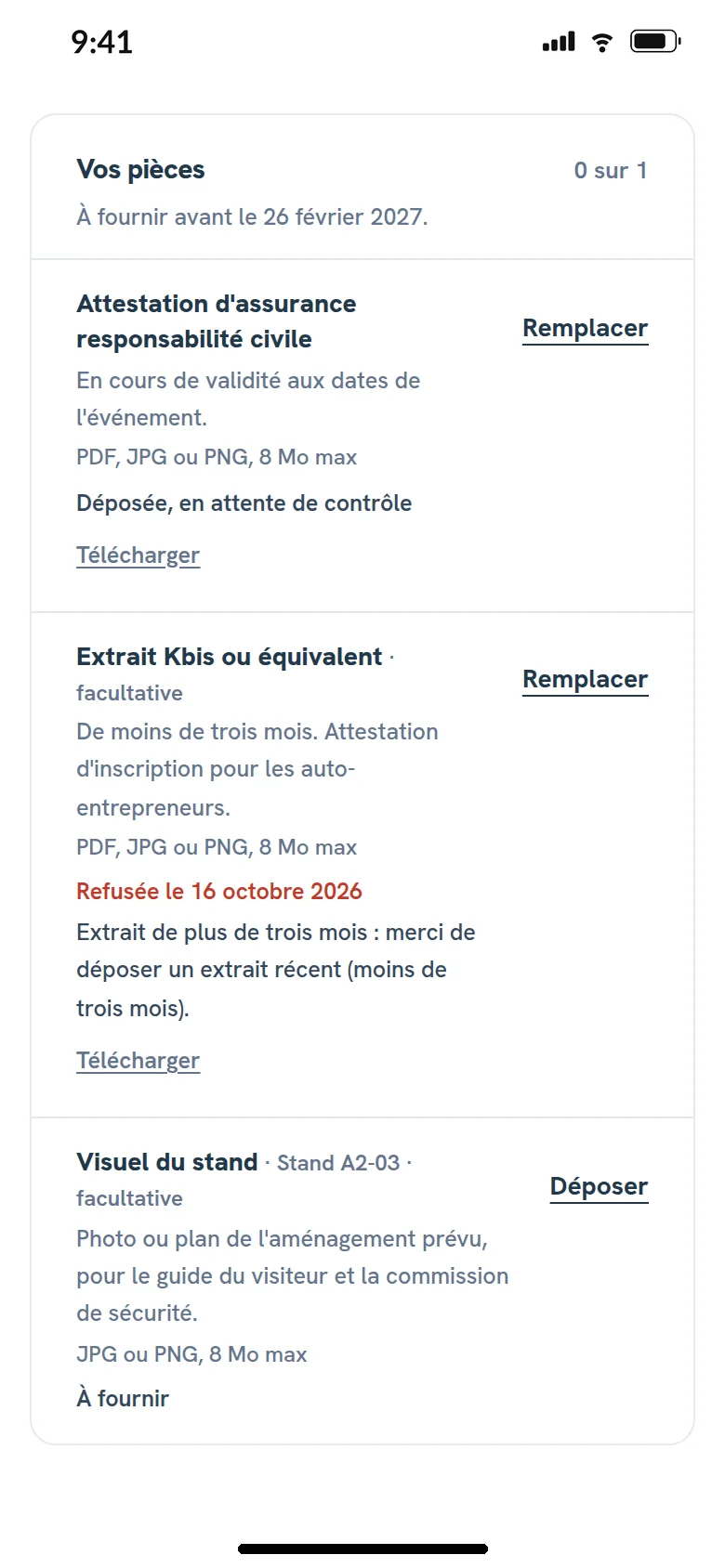
What the exhibitor sees
If you require a document during online booth booking, the exhibitor uploads it before sending their request.

Questions about supporting documents
Which documents should I ask exhibitors for?
The ones your event rules require. The four most common in France, insurance, Kbis, URSSAF and an identity document, are already written in the starter list.
Is an insurance certificate mandatory?
Your event rules decide. In Keyqo, you make it required, and even required to book.
Can an exhibitor book before sending their documents?
Yes, except for a document you require during booking. The others are uploaded later from their exhibitor area, until the deadline.
How long are documents kept?
Until you delete them, after exporting them if you want a copy.
Can I ask for a visual for each booth?
Yes. A document set to “One per booth” is requested for each booked booth, as an image.
Included in the plans
Supporting documents are included in all three plans. Writing to exhibitors through messaging requires Pro or Organizer. The three plans are compared on the pricing page.
What is Keyqo?
Keyqo is software for events with exhibitors, from trade shows and professional events to Christmas markets. You draw the floor plan of your hall, your exhibitors book their booth and their options online, and you track requests, documents and payments all the way to event day. From €15 excl. VAT a month, billed annually, and your exhibitors pay you directly, with no commission.
Keep all your exhibitors’ documents in one place
If you have a question before you subscribe, write to us, we reply within 24 to 48 business hours.