
From one edition to the next, duplicate your event instead of starting over
In Keyqo, you prepare the next edition by duplicating the event. You give it a name and the new dates. The hall, the booths, their prices, your options and your event rules carry over, and your exhibitors keep their account. Duplication is included in all three plans, from €15 excl. VAT a month, billed annually.

What the copy keeps
- The hall, its sectors and its booths, at the same prices.
- The options and packs offered, with their booth-by-booth settings.
- Your event rules and the documents to provide.
- The VAT and your payment methods.
- The description, the address and the posters.
Bookings and the edition’s exhibitor list start from zero, and your exhibitors keep their account on your exhibitor site. Setup, teardown and the deadlines for documents and options shift by the same amount as the dates. The copy is created hidden, and your dashboard follows the new edition from the first requests. Before you open the copy, you adjust whatever you want, a price, an option, a deadline.
Returning exhibitors bring their options back
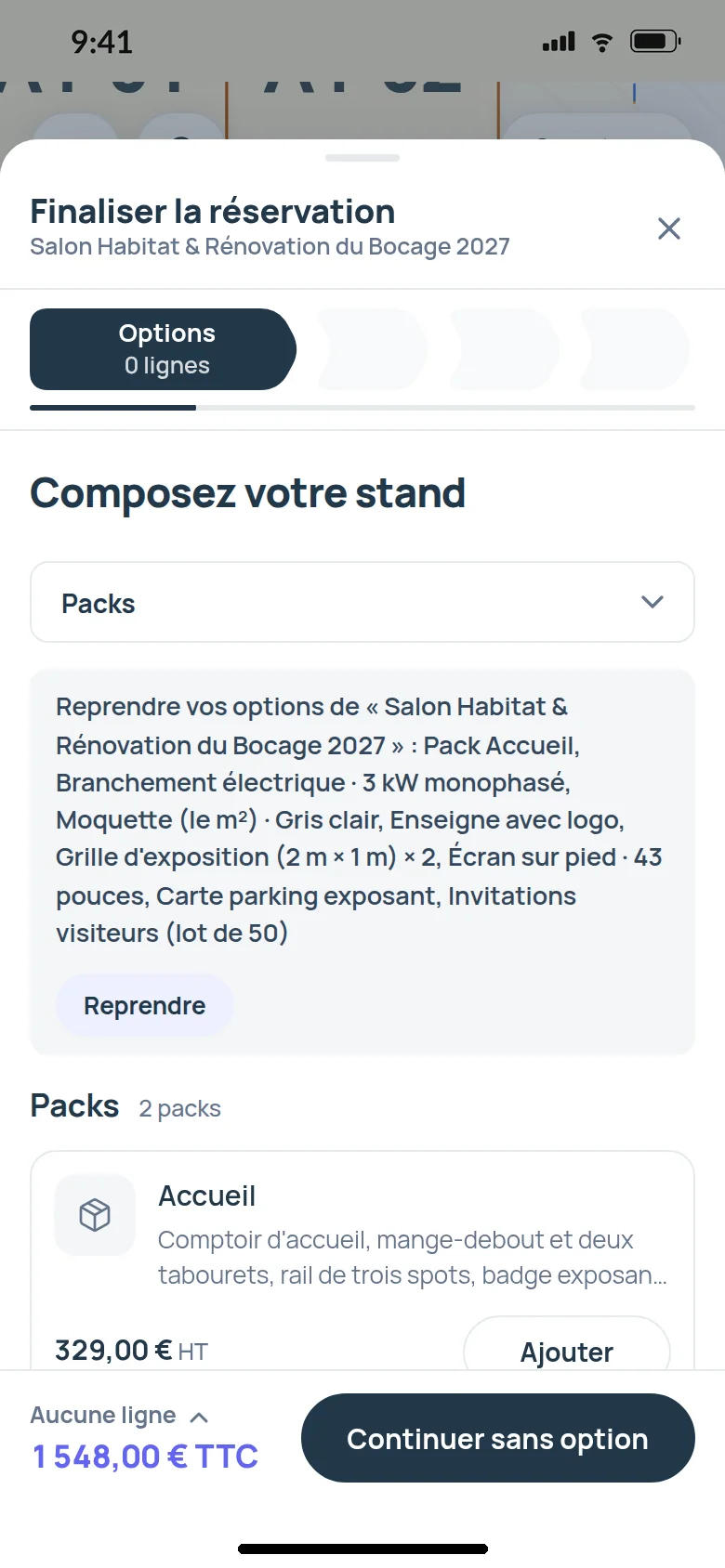
When a returning exhibitor books the new edition, Keyqo offers to bring back, in one step, the options of their last confirmed booking with you, at the new edition’s prices. They retype nothing, and you don’t explain your options again.
Questions about events and editions
How do my exhibitors find out that the new edition is open?
You export last edition’s exhibitor list, with their email addresses, and you send them the new edition’s address.
What happens when I reach my plan’s limit?
You hide an event that has ended, and its spot frees up. Or you move up to the next plan.
What becomes of my event once it has ended?
It stays in your list, among past events, with its floor plan, its bookings and its documents.
Included in the plans
Creating, duplicating, hiding and finding your past events is all included in all three plans. Your plan only sets how many events are visible at the same time, 1 with Essential, 5 with Pro, no limit with Organizer, and a hidden event does not count. The three plans are compared on the pricing page.
What is Keyqo?
Keyqo is software for events with exhibitors, from trade shows and professional events to Christmas markets. You draw the floor plan of your hall, your exhibitors book their booth and their options online, and you track requests, documents and payments all the way to event day. From €15 excl. VAT a month, billed annually, and your exhibitors pay you directly, with no commission.
Next year, you start from your event, not from a blank page
Create your space, draw your hall once, and every following edition starts from the previous one.
If you have a question before you subscribe, write to us, we reply within 24 to 48 business hours.