
Track your exhibitors’ deposits and payments
Your exhibitors pay you directly, with no commission, by bank transfer, check, cash, card on site or your own payment link. You record each deposit and each balance in Keyqo, and you see in one list who still owes you. Payment tracking is included in all three plans, from €15 excl. VAT a month, billed annually.
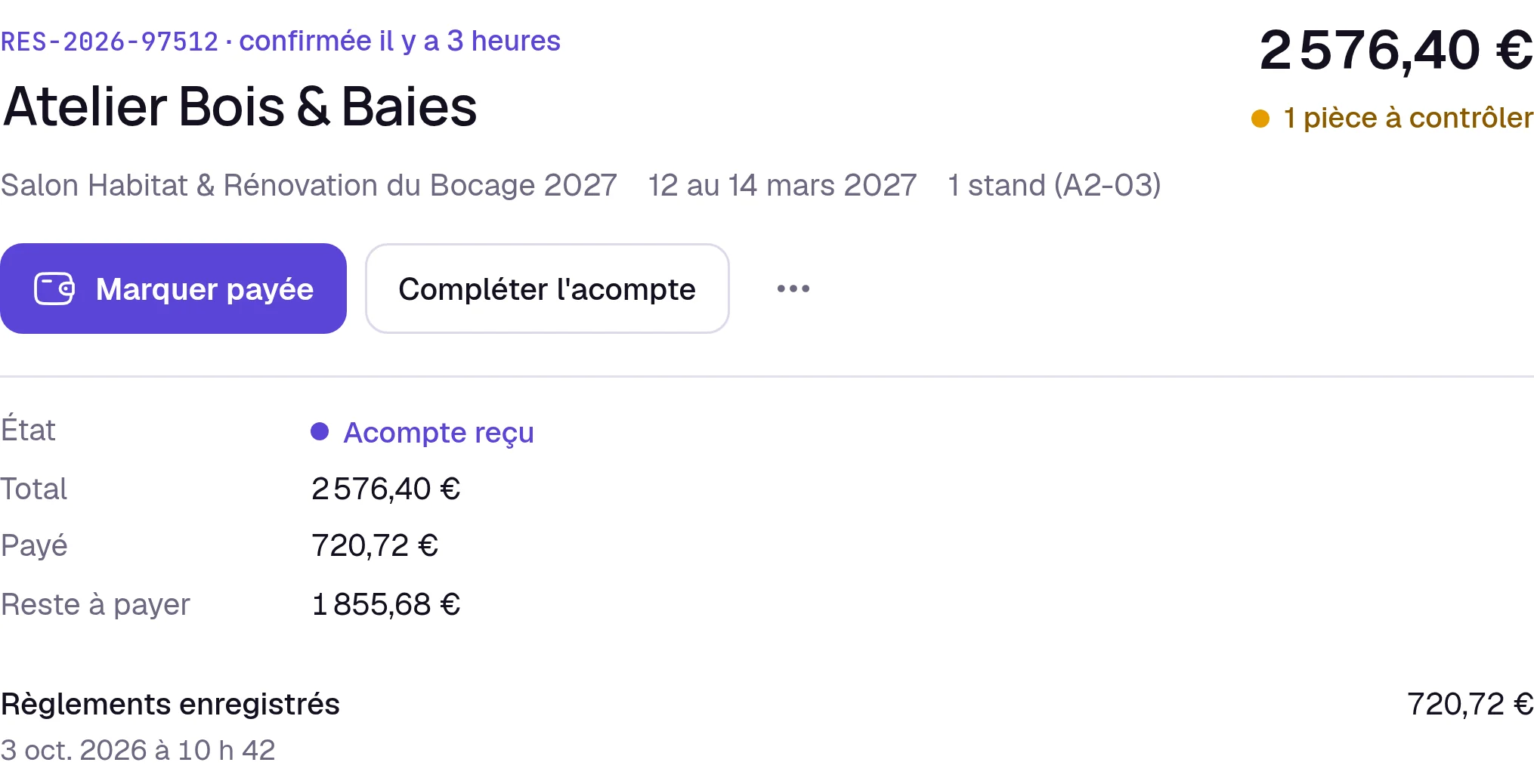
Your payment methods, event by event
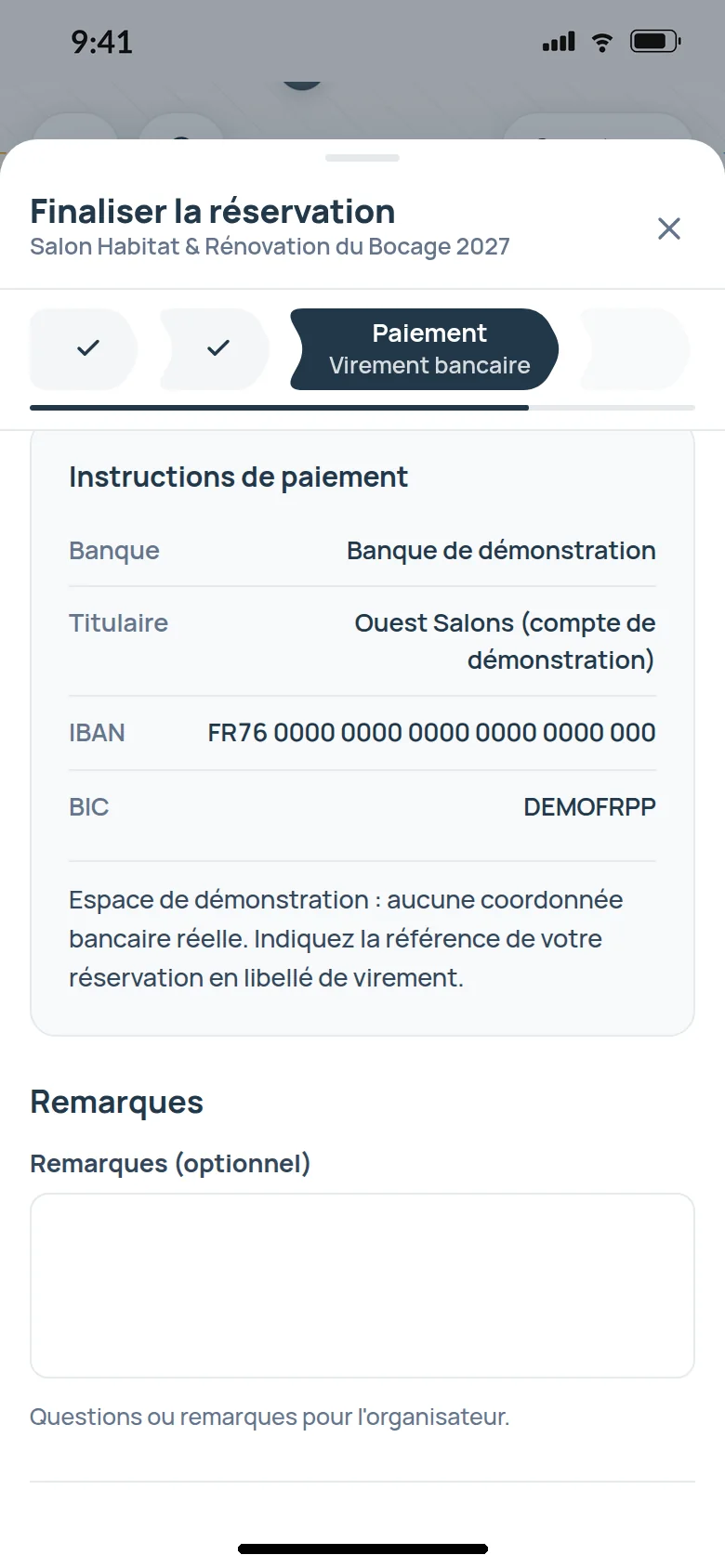
For each event, you turn on the methods you accept and enter your bank transfer or check details. For a payment link, you paste the address of your own online payment page.
You add your instructions, a deadline, the reference to write on the back of the check. On their booking form and in their exhibitor area, the exhibitor finds the same instructions, and they get “Payment confirmed” when you mark their booking as settled.
You record what you receive
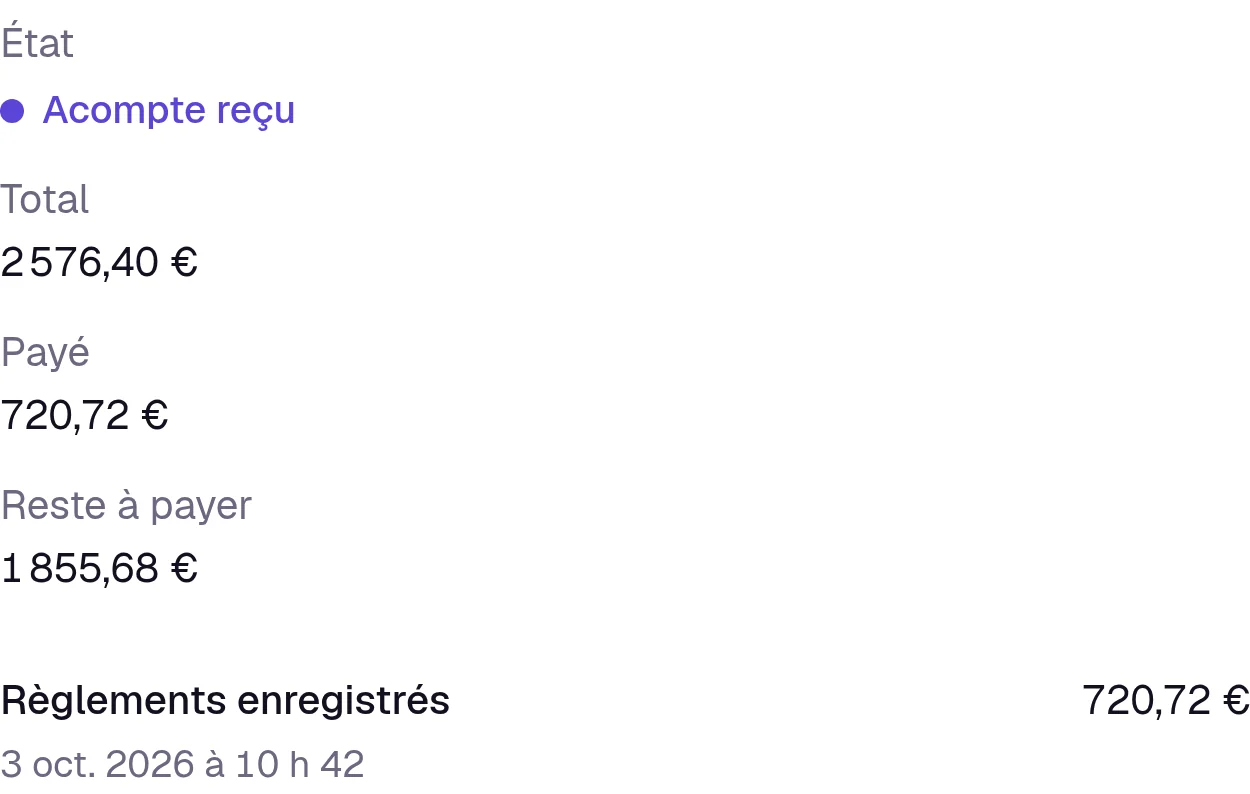
Everything is settled, you click “Mark as paid”. The exhibitor pays in two installments, you record the deposit, then the balance when it comes in.
Each payment is logged on the booking with its date and amount.

What is still to collect, in one place
One list, across all your events, gives who hasn’t finished paying and how much is left.
On event day, on Pro and Organizer, only the exhibitors who have paid in full are expected at exhibitor check-in.
For your treasurer
You export the bookings list as a file that opens in Excel or Google Sheets, with each booking’s payment status, chosen method, total, amount paid and balance due. Your treasurer has everything, and the month’s collected amount is already on your events dashboard.
In the exhibitor’s detail view, you also see what each exhibitor has paid you, across all events.
Questions about exhibitor payments
Does Keyqo collect my exhibitors’ payments, or take a commission?
No. The exhibitor pays you directly, you record their payment in Keyqo, and your only cost is the subscription, from €15 excl. VAT a month, billed annually.
Can my exhibitors pay by card remotely?
Yes, with your own payment link, from your bank or the service you already use. The exhibitor finds it when booking, in the confirmation email and in their exhibitor area.
Do I need an account with a payment provider?
No. Bank transfer, check, cash and card on site are recorded without any provider.
What happens if I add an option to a booking that is already paid?
It goes back to “Deposit received” with the supplement as the balance due, and the exhibitor gets the supplement order form by email. You record their payment when it comes in.
How do I follow up with an exhibitor who is late paying?
You write to them from their detail view, with their balance due in front of you, or through messaging with your exhibitors on Pro and Organizer.
Included in the plans
Payment tracking is included in all three plans. On Pro and Organizer, you register an exhibitor yourself who has already paid you, on the phone or on site, and record their booking as paid. The three plans are compared on the pricing page.
What is Keyqo?
Keyqo is software for events with exhibitors, from trade shows and professional events to Christmas markets. You draw the floor plan of your hall, your exhibitors book their booth and their options online, and you track requests, documents and payments all the way to event day. From €15 excl. VAT a month, billed annually, and your exhibitors pay you directly, with no commission.
You collect, Keyqo keeps track
If you have a question before you subscribe, write to us, we reply within 24 to 48 business hours.